Free · No sign-up · No watermark
Free QR Code Generator – No Sign-Up
QR Simple is a free QR code generator, no sign-up or email required: pick a type, enter your link or details, and download a PNG or SVG in seconds. Free codes have no watermark and never expire.
1Content
2Design
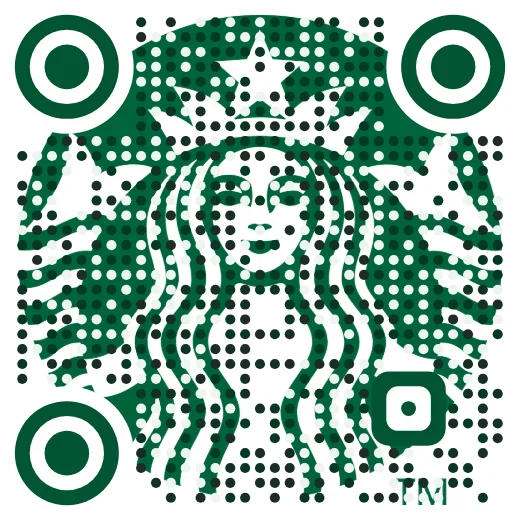
Try Logo art: your logo becomes the whole code
Add your logo to see yours. It comes on an editable Pro code you can change after printing.
Starbucks shown as an example only; not affiliated or endorsed.
- No account, no email, no watermark
- Static codes that never expire
- Made in Canada
How to make a QR code in three steps
- 1
Choose what the code does
Pick a type: a website link, email, text message, WhatsApp chat, plain text or a map location.
- 2
Enter your details
Paste your link or fill in the fields. The code updates as you type, and it is built right in your browser.
- 3
Style and download
Choose your colors, then download a PNG for screens and documents or an SVG for print. Scan it with your phone before you print.

New · Logo art
Turn your logo into the whole QR code
Upload your logo and we build the code out of it, in your colours, then check it scans before you print.
- Scan-checked: reads when small, blurry, dim or at an angle
- An editable Pro code: change where it goes after printing, see every scan
- Try it free with your own logo; keep it with Pro from CA$15US$10/month
PNG, JPG or SVG up to 5 MB · stays on your device until you choose Pro
Free really means free
The free generator makes static QR codes. A static code holds your link or details inside the pattern itself, so there is no account to create, no trial to run out and nothing on our side that can be switched off. The code keeps working for as long as the thing it points to exists.
Some generators hand out cheap trial codes that route through their own servers, then stop those printed codes working unless you keep paying a monthly subscription. Static codes can't be switched off that way, which is why ours are free and unlimited.
- No sign-up, no email address and no watermark
- Unlimited codes with PNG and SVG downloads
- Six free types: link, email, SMS, WhatsApp, plain text and map location
What you can put in a free QR code
Each type is formatted the way phone cameras expect, so people get the right action the moment they scan:
- Website link: opens any web page, menu, form, shop or social profile.
- Email and SMS: opens a new email or text message addressed to you.
- WhatsApp: starts a WhatsApp chat with your number.
- Plain text: shows a short message, serial number or instructions.
- Location: opens a place in Google Maps.
- Wi-Fi and contact cards: these are part of Pro, as hosted pages you can update without reprinting the code.
Print tips so every code scans
A QR code that looks fine on screen can still fail on paper. These rules cover almost every case:
- Size: print it at least 2 cm (0.8 in) wide, and bigger for anything scanned from a distance. A good rule is 1 cm of code for every 10 cm of scanning distance.
- Contrast: use a dark code on a light background. Light-on-dark and pale color pairs fail on many phones.
- Quiet zone: leave a clear margin around the code. Don't crop it or let other graphics touch it.
- Keep content short: the more data in a code, the denser and harder to scan it gets.
- Use SVG for print: it stays sharp at any size.
- Test before you print: scan a proof at its real size with an iPhone and an Android phone.
Popular uses for free QR codes
Quick messages
Put a WhatsApp or SMS code on signs and vans so customers can message you in one scan.
Online menus
Link table cards and window stickers to the menu on your website.
Google reviews
Link to your review form on receipts, table cards and invoices.
Forms and sign-ups
Send people straight to a Google Form, RSVP page or newsletter sign-up.
Flyers and posters
Link to your website, event page or booking page.
Directions
Share a map location on invitations, tickets and signs.
Need to change it later or count scans?
Free codes are fixed once printed. Pro gives you dynamic codes you can edit any time, scan analytics, hosted PDF, image, Wi-Fi and contact-card pages, and a full designer with logos and frames. It's CA$15US$10 a month or CA$120US$80 a year, with no trial, online cancellation any time, and a full refund within 15 days.
Free
$0
Static QR codes, forever
- Links, email, SMS, WhatsApp, text and map locations
- Frames, colours, shapes and your logo — PNG, SVG or PDF
- No sign-up, no watermark, never expires
- Made in your browser — nothing you type is stored
Pro
CA$120US$80/year
or CA$15US$10/month · annual saves 33%
- Edit where any code points, any time — no reprinting
- Scan analytics: when, where and on what device
- Hosted pages: PDFs, images, menus, Wi-Fi, contact cards and link pages
- Up to 50 editable codes, unlimited scans, password protection
No free-trial trap. The price you see is the price you pay.
Cancel online any time. Full refund within 15 days.
If Pro ever ends, your printed codes keep scanning.
Frequently asked questions
Is QR Simple really free?
Yes. Static QR codes for links, email, SMS, WhatsApp, text and map locations are free and unlimited, with no sign-up, no email and no watermark. Pro is a separate paid plan for editable codes, scan analytics, hosted files, and Wi-Fi and contact-card pages.
Do free QR codes expire?
No. A static code contains your link or details directly, so there is nothing to expire. It keeps working as long as the website, number or details it points to still exist.
Can I edit a free QR code after printing?
No. A static code can't be changed once it's printed, so you would make and print a new one. If you expect changes, a Pro dynamic code points to a short link you can redirect any time.
Should I download PNG or SVG?
Use PNG for websites, slides and documents. Use SVG for print and design software, because it stays sharp at any size.
Can I make a Wi-Fi or contact-card QR code for free?
No. Wi-Fi and contact-card codes are part of Pro. Each one opens a page we host, so you can change the password or your details later without reprinting, and see how often it's scanned. The free generator covers links, email, SMS, WhatsApp, plain text and map locations.
Can I track how many people scan a free code?
Not with QR Simple, because static codes never pass through our servers. Pro dynamic codes include scan analytics, and if a free code links to your own website you can add UTM tags to the link to see visits in your web analytics.
Who makes QR Simple?
QR Simple is run by a small company in Alberta, Canada.